

WIP REPORTING FOR ACCOUNTING FIRMS
See ageing WIP before it becomes a write-off.
Monitor current WIP, ageing balances, movements, interim fees and underlying time entries in one interactive reporting suite, so partners know exactly where to act before value is lost.
WIP rarely becomes risky overnight.
Write-offs are usually the final result of an issue that has been developing quietly for weeks or months. The opportunity is finding those jobs while there is still time to intervene.
A total hides the age
A single balance cannot show which work is fresh and which has sat unbilled for months.
Problem jobs stay hidden
Firm-wide totals can conceal clients, jobs or teams where WIP is accumulating.
Reviews happen too late
Periodic reviews may identify ageing work only after billing options have narrowed.
The cause is unclear
Without drill-through, partners see the balance but not what created it.
Better reporting turns a headline result into a focused list of exceptions, owners and practical next actions.
Understand the balance, its age and what created it.
Move from the firm-wide position into the people, clients, jobs and underlying detail contributing to it.
Current WIP
See the total position by client, partner, staff member, job type and job.
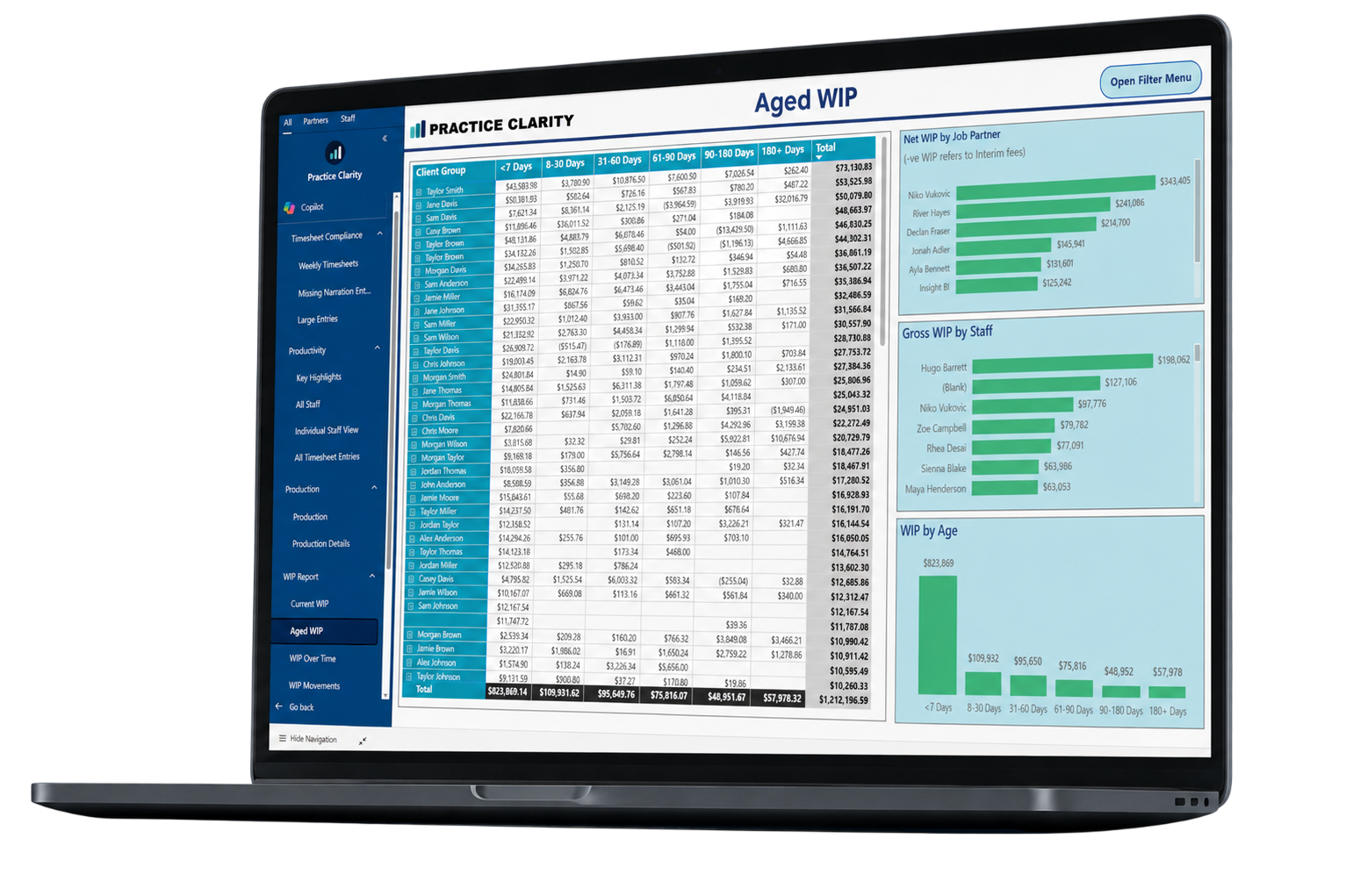
Aged WIP
Break balances into ageing buckets through to 180 days and beyond.
WIP over time
Compare opening, incoming, invoiced and closing WIP.
WIP movements
Understand what moved onto WIP, what came off and the closing position.
Interim billing
Identify unallocated interim fees and their effect on the true position.
Detailed entries
Drill into time, disbursement and status information behind any balance.
Move from total WIP to the action underneath it.
Filter by client, group, partner, staff member or age, then drill into the entries creating the balance.

Answer the question behind the balance.
Give managers and partners a shared view of what changed, what sits behind it and where action is required.
Which balances are becoming risky?
Isolate WIP approaching 60, 90 or 180 days.
Who needs to act?
Identify the partner, manager, staff member, client or job.
What created it?
Drill into time, job types, disbursements and movement detail.
Is it improving?
Compare WIP on, WIP off and closing balances over time.
Questions about this reporting module.
01 What does this module report?
It brings the relevant practice-management data into a focused, interactive Power BI view with filters and drill-through detail.
02 Can managers see only the information relevant to them?
Practice Clarity can support role-based reporting so people receive the level of visibility appropriate to their responsibilities.
03 Does Practice Clarity replace our practice-management system?
No. Your existing system remains the operational source. Practice Clarity provides a clearer reporting layer through Microsoft Power BI.
04 Can we drill into the figures?
Yes. The reporting is designed to move from headline measures to the clients, people, jobs or transactions contributing to the result.
Which WIP balances need your attention today?
Book a tailored walkthrough and see how Practice Clarity can make WIP more actionable.